SOYO AMD RX 590 8GB Placa De Video Gaming Graphics Card GDDR5 256Bit PCI Express
SPECIFICATIONS
Application: Desktop
Brand Name: SOYO
Chip Process: 14NM
Chipset Manufacturer: AMD
Choice: yes
Cooler Type: Double Fan
Core Clock(Mhz): 1380
High-concerned chemical: None
Interface Type: PCI Express 3.0x16
Itel condition: New
Memory Clock(Mhz): 1500
Memory Interface: 256 BIT
Origin: Mainland China
Output Interface Type: DVI-D,HDMI 1.2x1,DisplayPort x1
Overclocked: No
Package: YES
Power Connector: 6pin
Product Category: Desktop Graphics Cards
Product Features: VR READY
RGB: No
Stream Processors: 2304
Usage Scenario: Gaming,Audio & Video,Office,Video Production
Video Memory Capacity: 8 GB
Video Memory Type: GDDR5
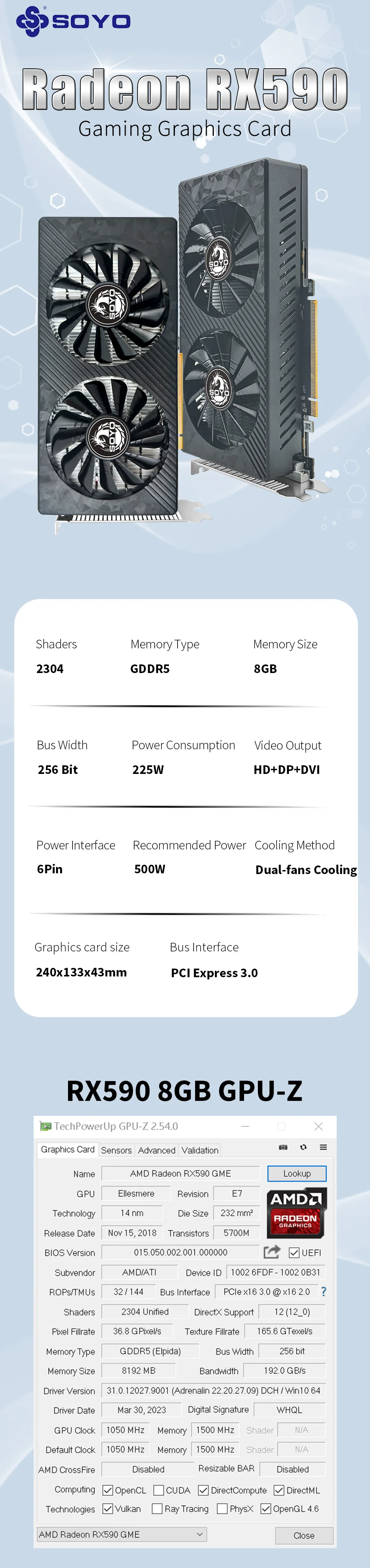
•High Resolution Display :The SOYO Radeon RX590 8G Graphics Cards boasts a maximum resolution of 4096 x 2160, ensuring crisp and clear visuals for your gaming or video rendering needs.
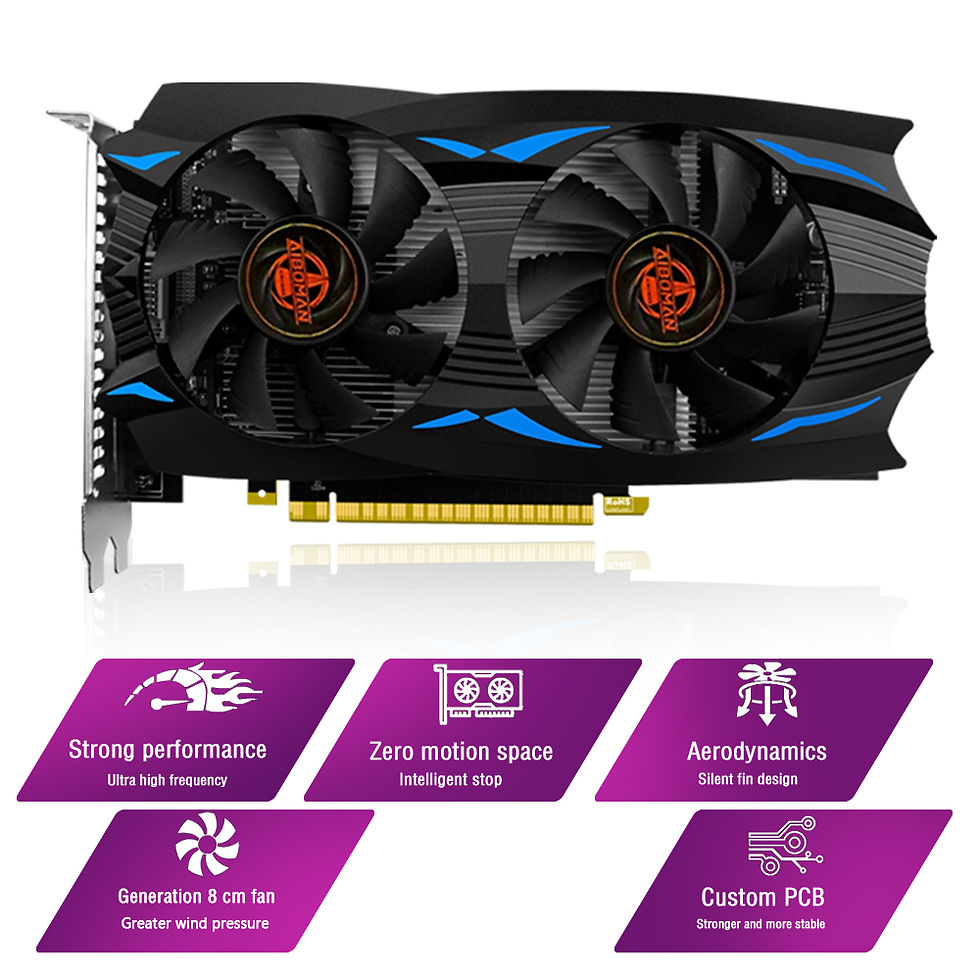
• Double Fan Cooler Type :Equipped with a double fan cooler type, this graphics card ensures optimal temperature control, preventing overheating and enhancing the longevity of the card.
• GDDR5 Video Memory :Featuring GDDR5 video memory, this card provides ample storage capacity for heavy-duty graphics tasks, ensuring smooth performance and high-quality output.
• PCI Express 3.0 X16 Interface :With its PCI Express 3.0 X16 interface, this graphics card guarantees fast and reliable data transfer, enhancing your computing experience.
● Description of graphics card parameters:
•Display core: AMD Redon RX 590 GME
•Core technology: 14nm
•Stream processor: 2304
•Memory capacity: 8GB
•Memory type: GDDR5
•Memory bit width: 256bit
•Bus interface type: PCI Express X16 3.0
•Display interface: HDMI+DP+DVI
•External power supply: 6Pin power supply
● If you need to use a video adapter, please note:
1. Compatibility prompt: Some graphics cards may have compatibility problems with video adapter devices. Before using them, it is recommended to consult the official manuals of graphics cards and external devices to confirm the specifications and parameters (such as resolution and refresh rate) that support the adapter to avoid flicker and black screen.
2. Interface matching: Make sure that the adapter interface type is completely matched with the video card output interface and the input interface of the external device (such as HDMI to DP, DVI to VGA, etc.). Mismatching may lead to signal transmission failure, equipment burning, and even short circuit risk.3.AMD official website graphics driver download:https://www.amd.com/zh-hans/
●.AMD official website graphics driver download:https://www.amd.com/zh-hans/